> For the complete documentation index, see [llms.txt](https://help.everask.ai/llms.txt). Markdown versions of documentation pages are available by appending `.md` to page URLs; this page is available as [Markdown](https://help.everask.ai/manage-your-account/deleting-your-everask-account.md).
# Deleting your EverAsk account
If you want to permanently remove your EverAsk account or delete a team workspace, follow the steps below. This process follows our [Terms and Conditions,](/policies/terms-and-service.md) and [Privacy Policy](/policies/privacy-policy.md).
You must be signed in to delete your account or manage a team workspace. If you cannot access your account, first use the [Password Recovery and Sign-in Process](/manage-your-account/forgot-your-password.md).
### What gets deleted
#### Account deletion
Deleting your account removes:
* Personal account details
* Generated content
* Collections
* Other data linked to your user account
#### Team workspace deletion
Deleting a team workspace removes:
* Team information
* Shared chats/assets and directories
* Workspace access for all members
* References tied to that workspace
Members will no longer see that workspace in their team switcher.
### Important things to know
* **Account deletion starts a 7-day cooling-off period.**
* **Workspace/Team deletion is immediate and cannot be undone.**
* Deleting your account also cancels active subscriptions.
* If you recover your account during the 7-day period, canceled plans do **not** restart automatically.
* Only the **team owner** can delete a team or transfer ownership.
* The default personal team cannot be deleted.
{% hint style="warning" %}
Once permanent deletion is complete, your data cannot be recovered.
{% endhint %}
### How to delete your account
{% stepper %}
{% step %}
### Open your account settings
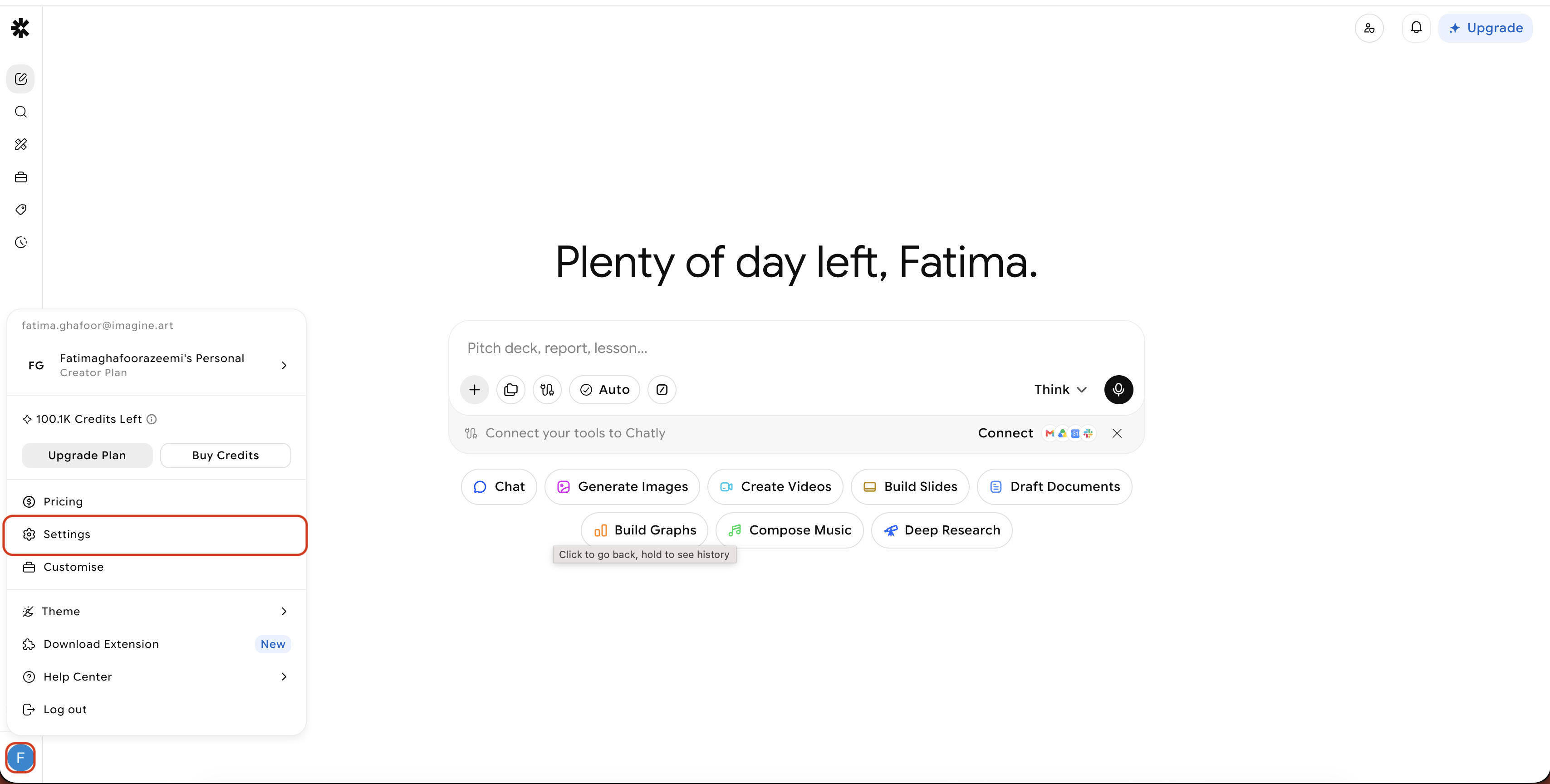
Click your team menu in the bottom-left corner, then click the settings.
{% endstep %}
{% step %}
### Go to the Account section
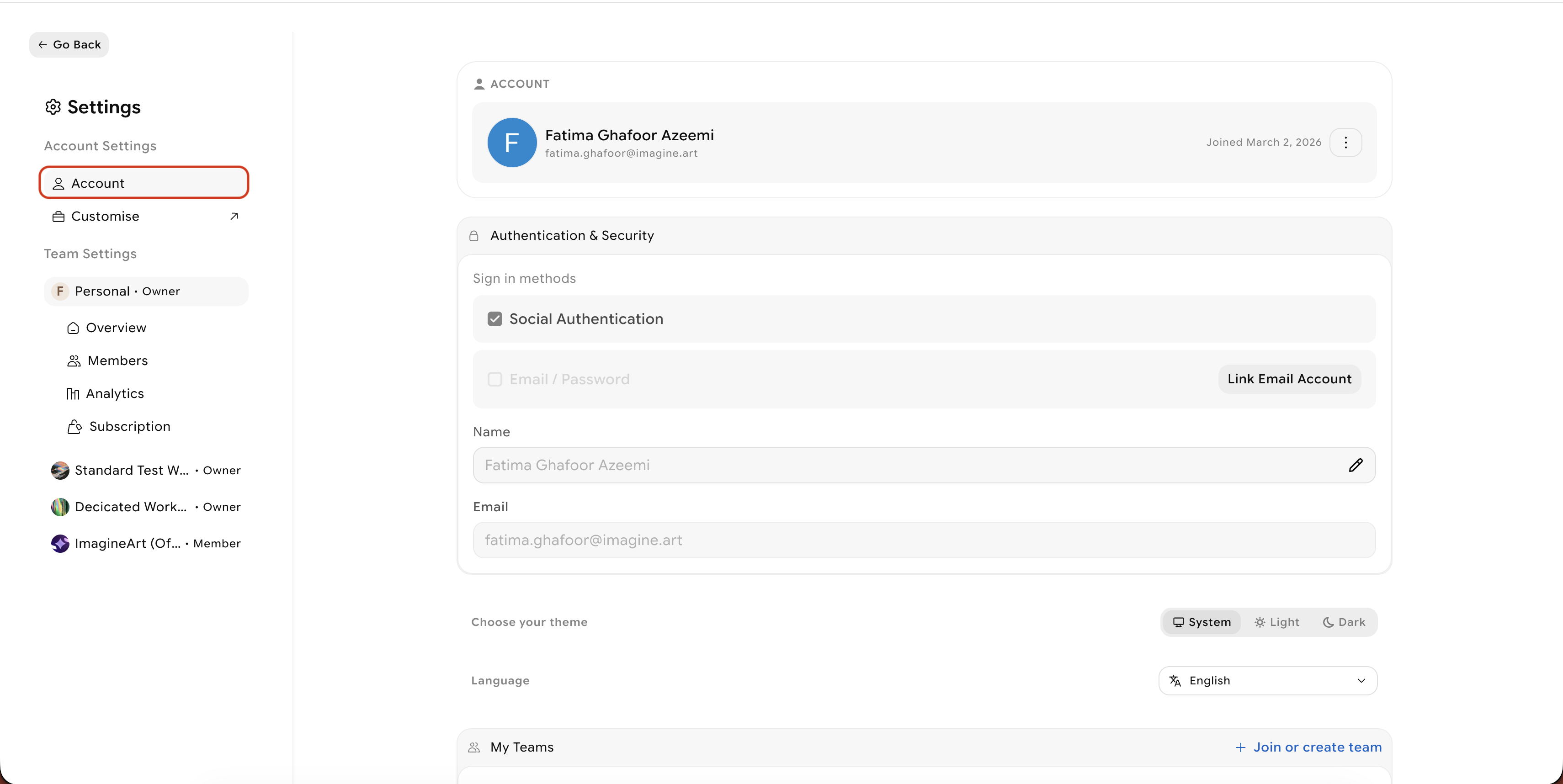
In settings, select **Account** from the left sidebar.
{% endstep %}
{% step %}
### Open Advanced Settings
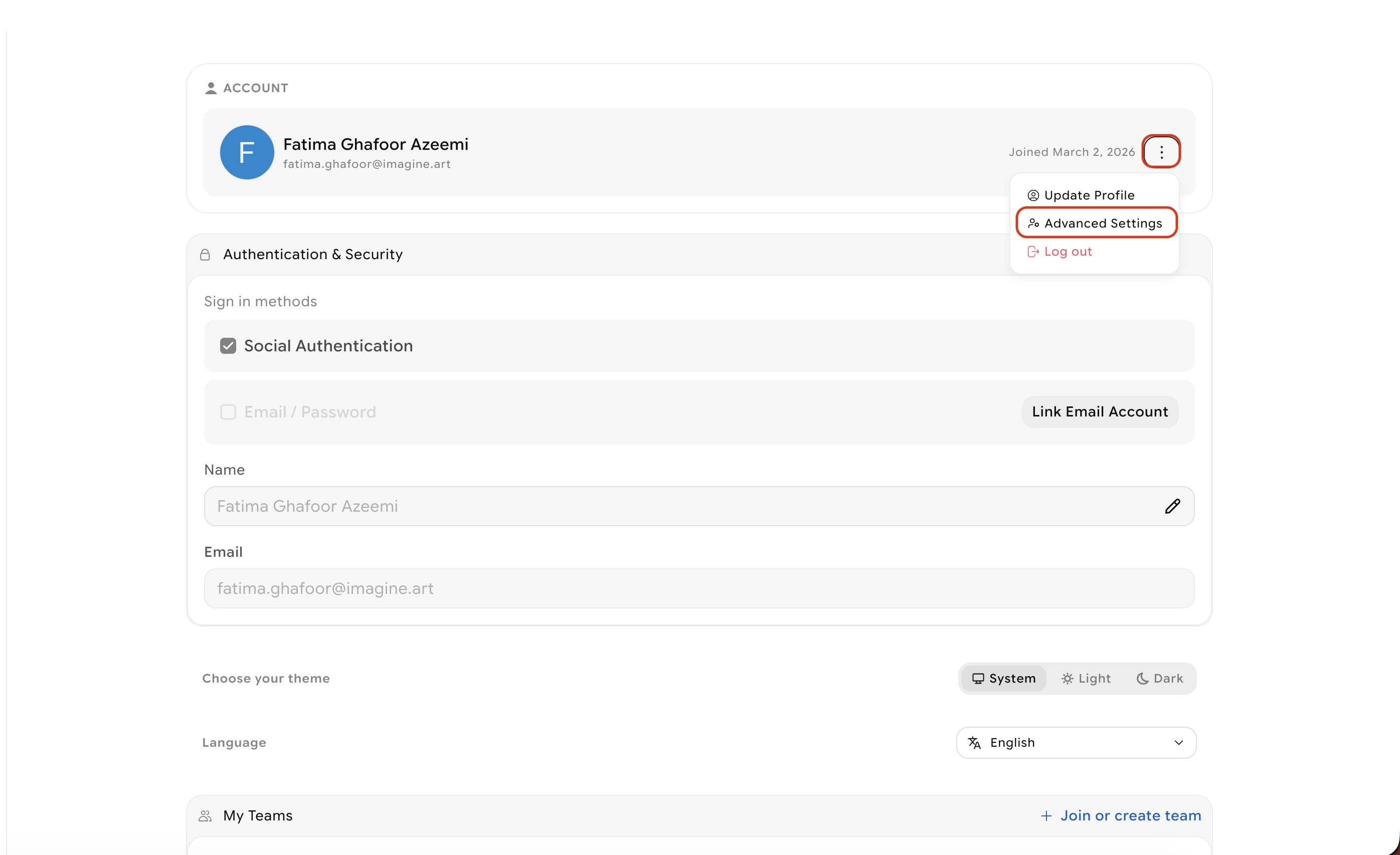
On the profile page, click the three dots infront of your profile email and click on advanced settings
{% endstep %}
{% step %}
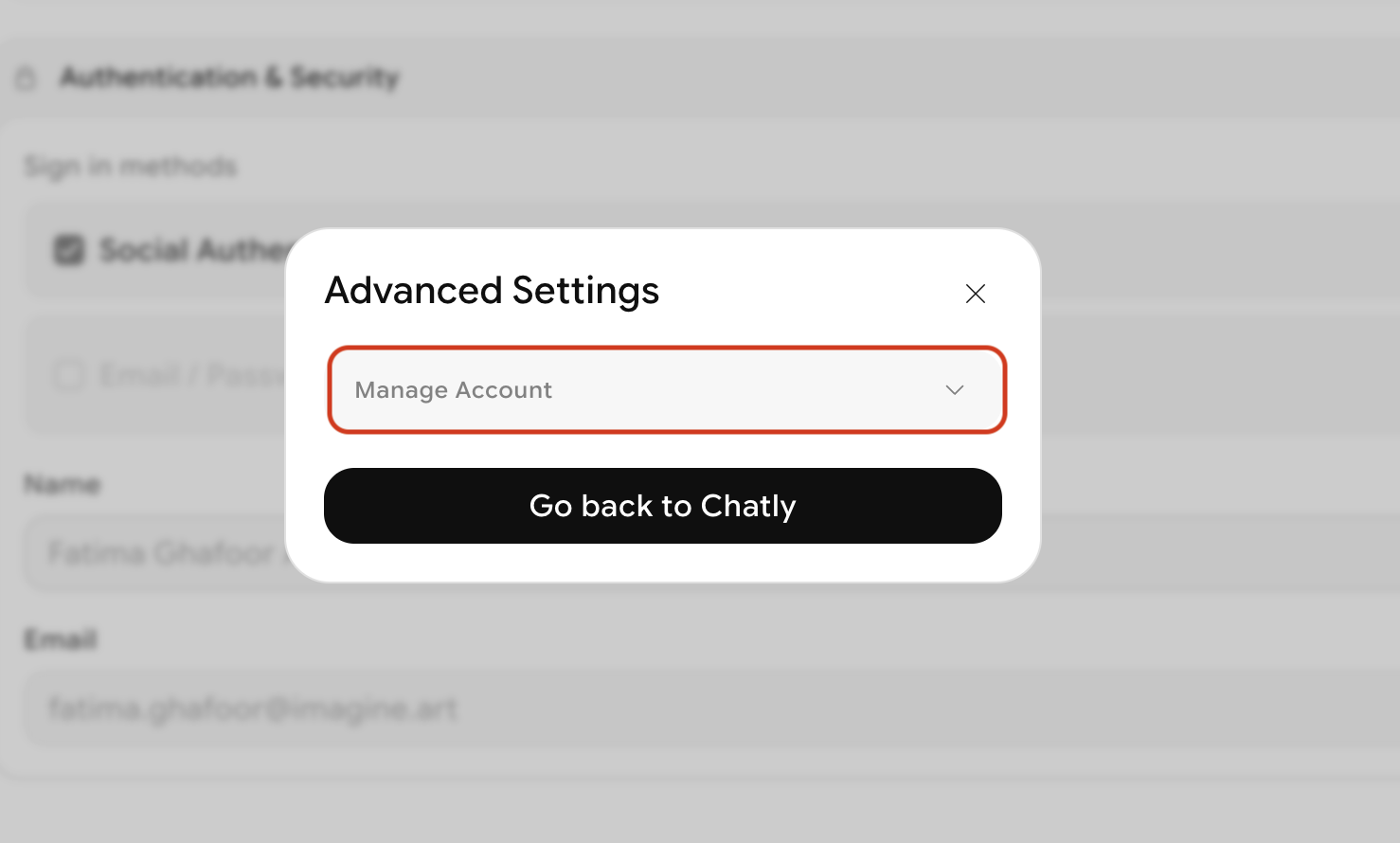
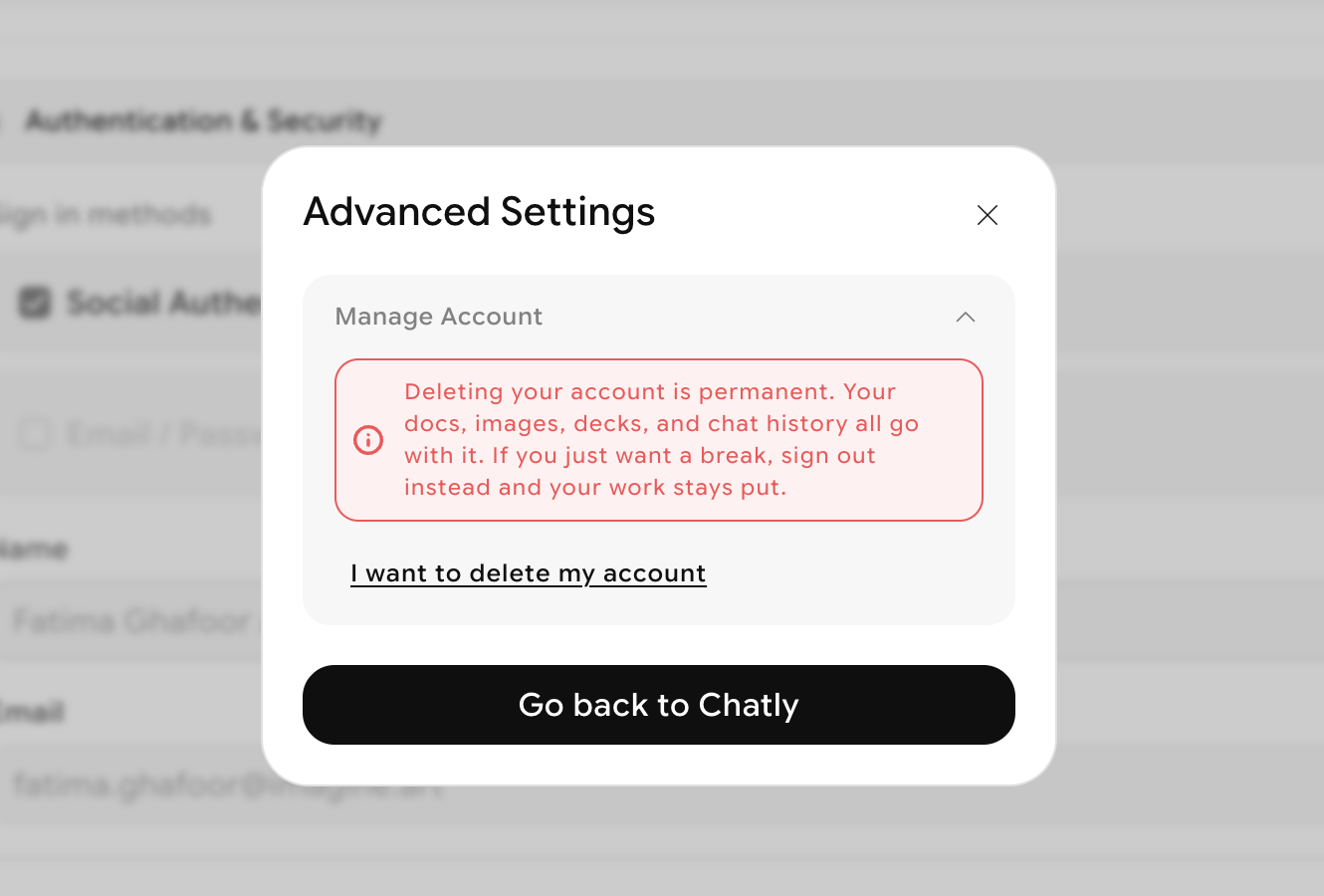
### Click on Manage Account
A popup will appear. Click on the downwards arrow to access account deletion option
{% endstep %}
{% step %}
### Confirm the deletion
Click **I want to delete my account** to start the request. Complete the survey to ensure complete cancellation.
Your account then enters a **7-day cooling-off period**. During this time, you can sign back in and cancel the deletion request. If you do nothing, your account will be permanently deleted after 7 days.
{% endstep %}
{% endstepper %}
### What happens after you request account deletion
* Your deletion request is scheduled immediately.
* Your subscriptions are canceled.
* You can still reverse the deletion during the 7-day cooling-off period.
* If you restore your account, you must manually subscribe again if needed.
### How to delete a team workspace
{% stepper %}
{% step %}
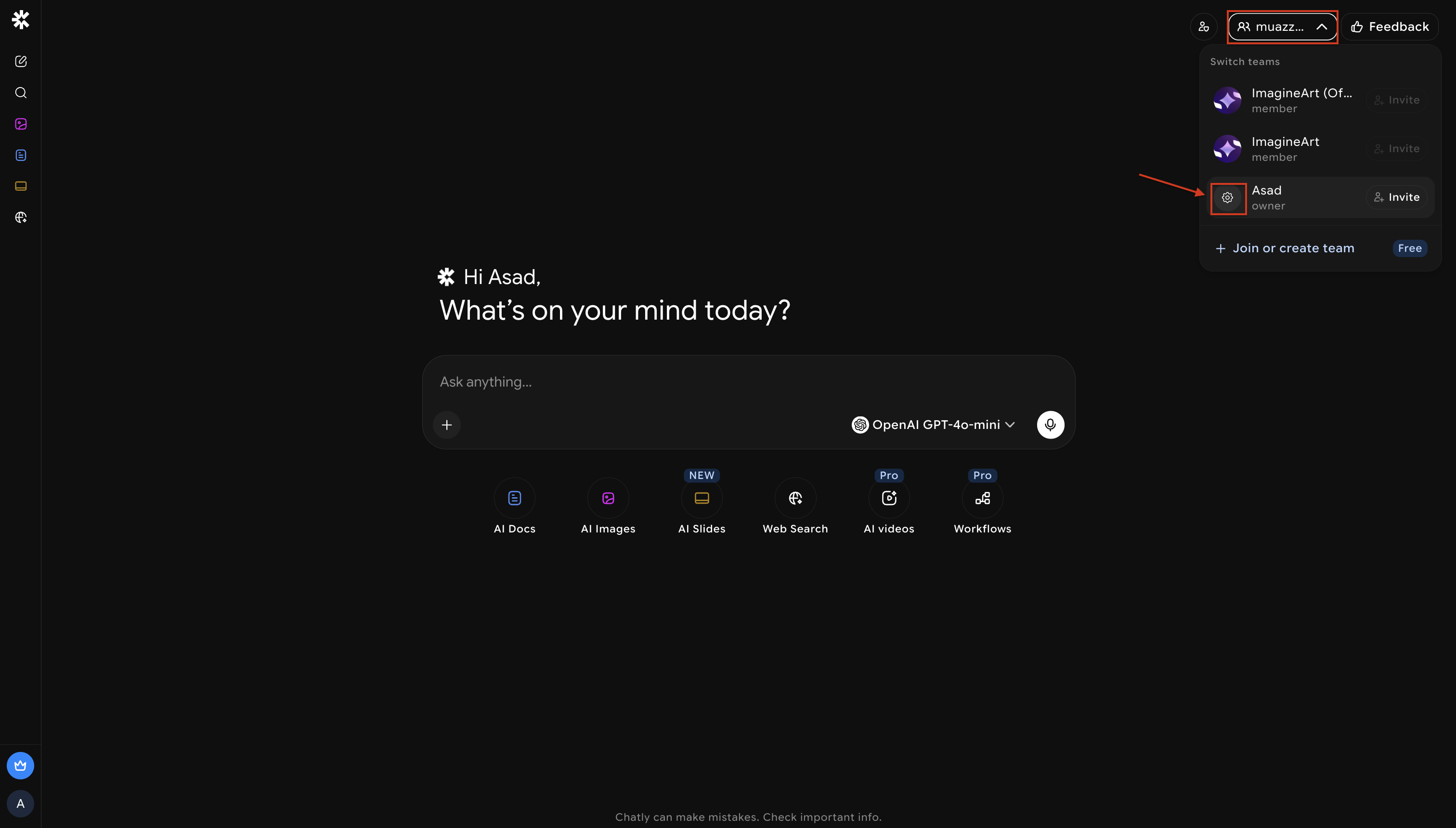
### Open the team menu
Click the team selector in the top-right corner, then open that team's settings.
{% endstep %}
{% step %}
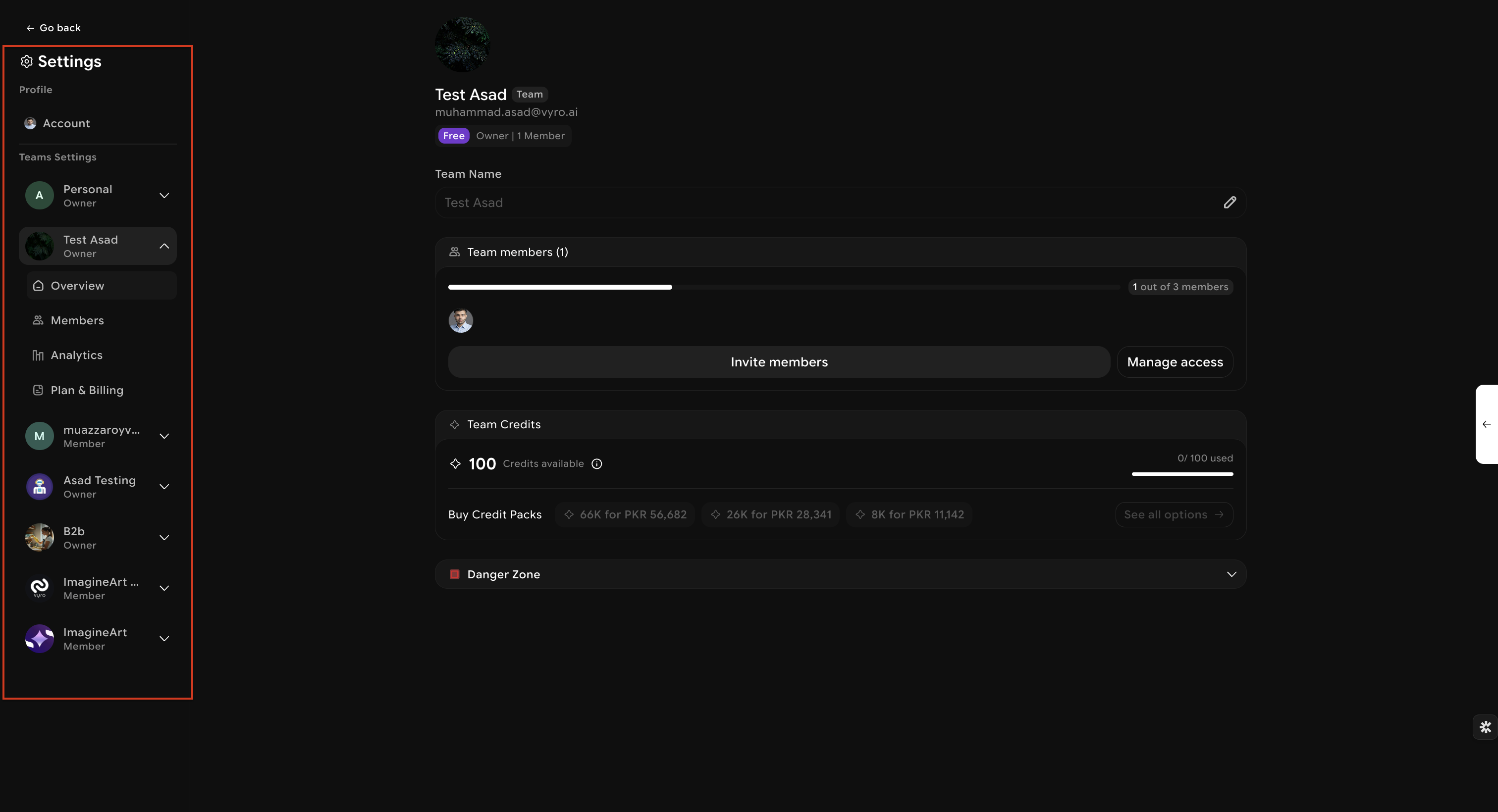
### Select the team
In settings, choose the team you want to manage from the left sidebar.
{% endstep %}
{% step %}
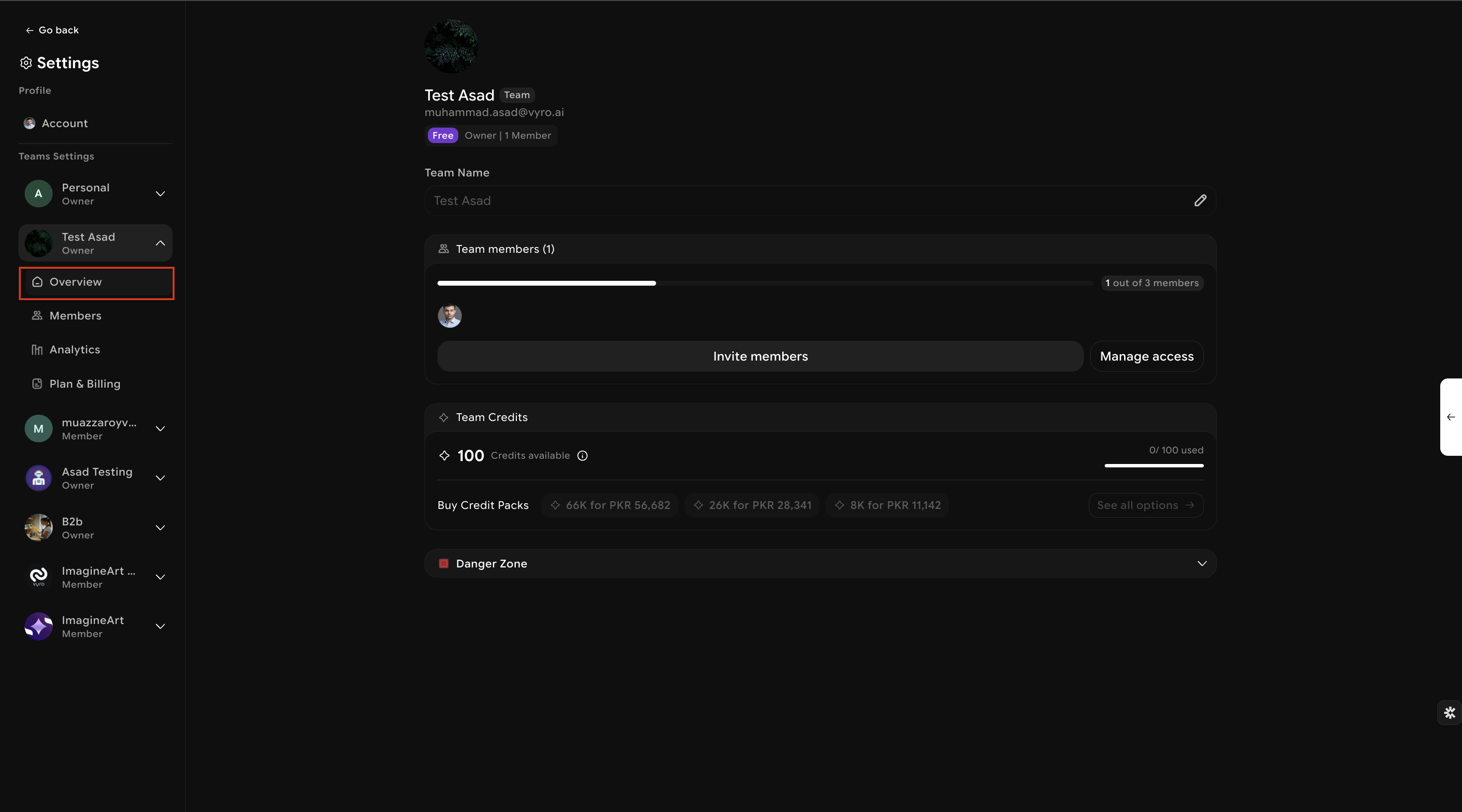
### Go to the team overview
Open **Team Name > Overview**.
{% endstep %}
{% step %}
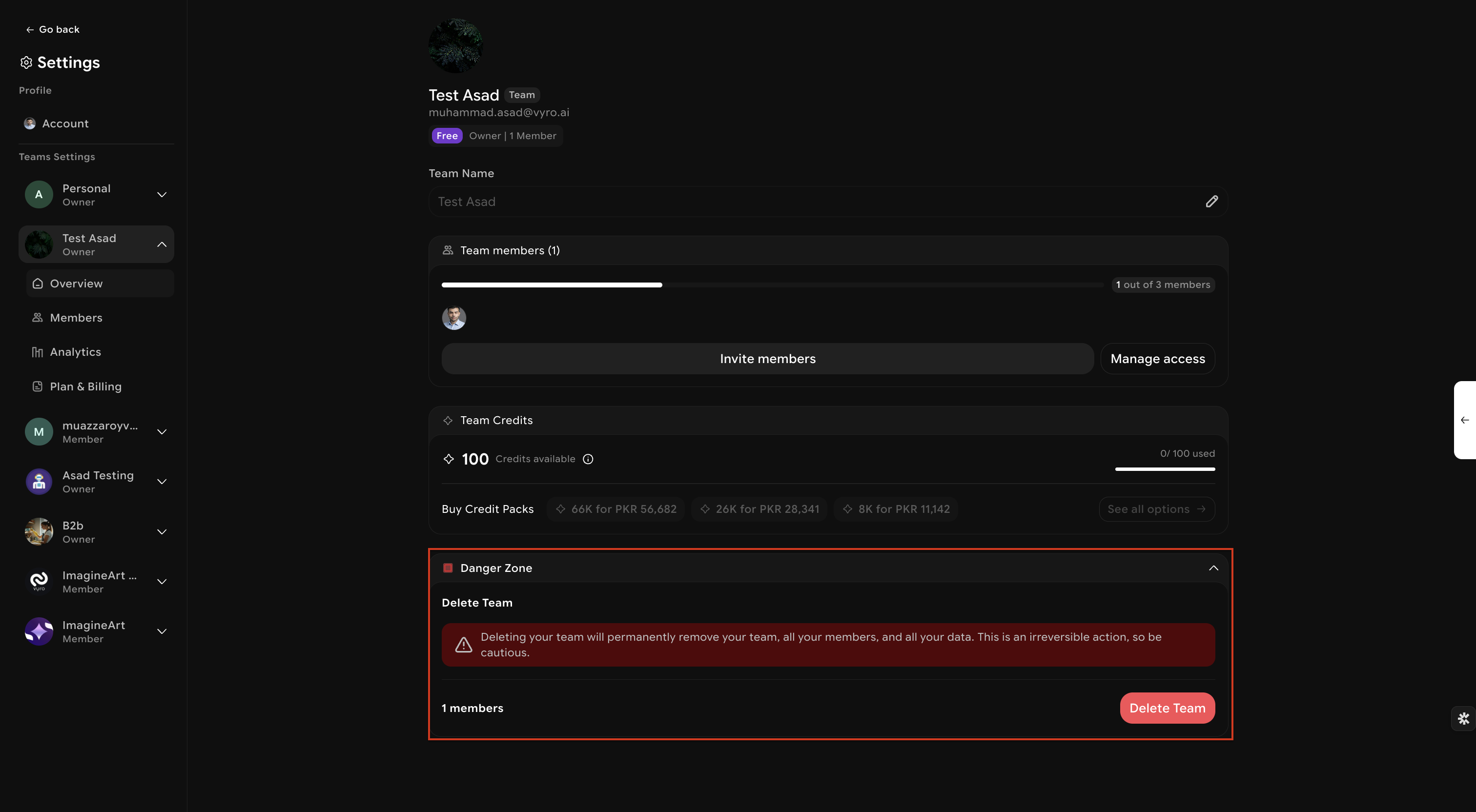
### Open the Danger Zone
Scroll down and expand **Danger Zone**.
{% endstep %}
{% step %}
### Delete the team or transfer ownership
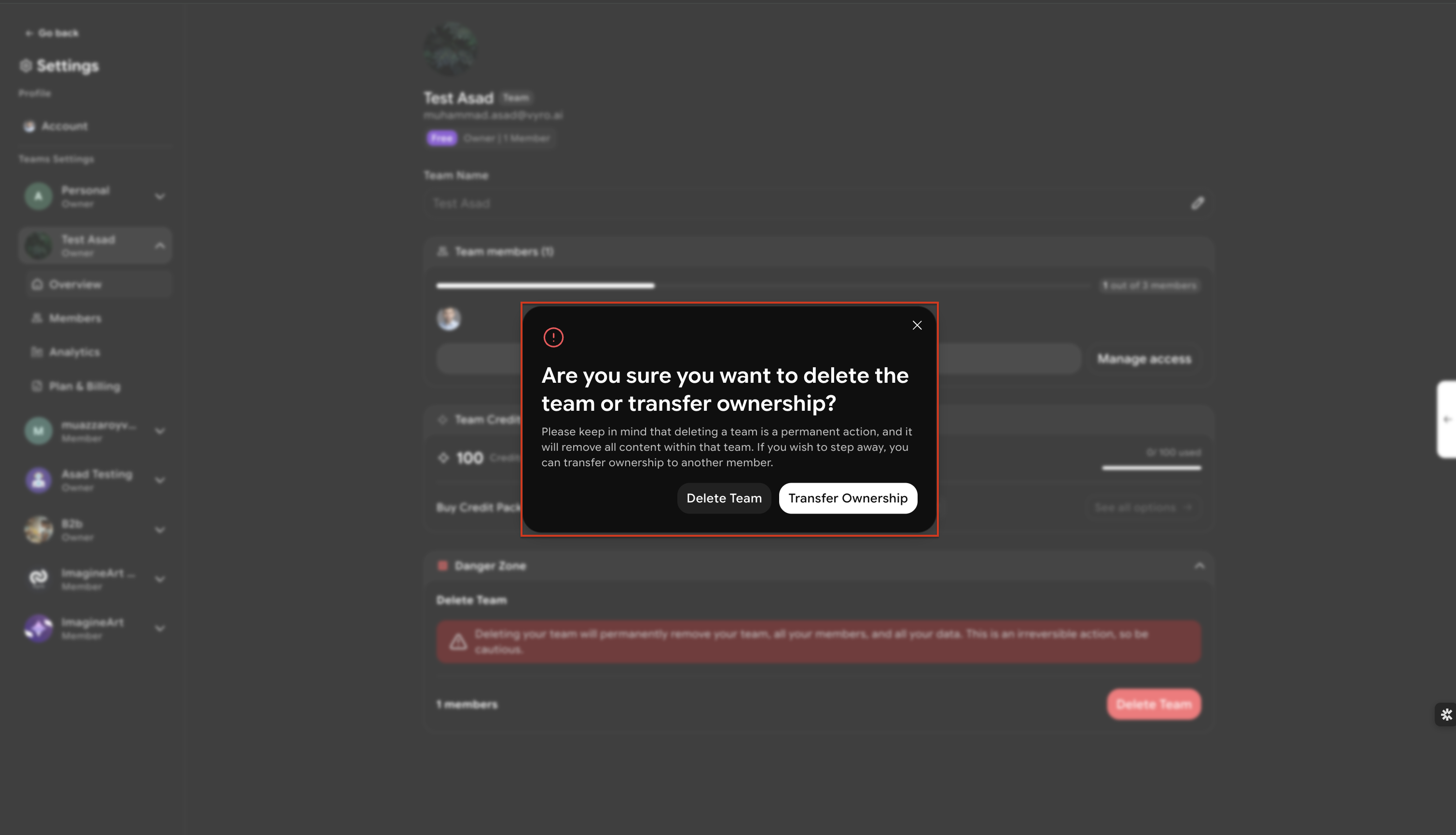
Click **Delete Team**. You will then see the available options.
* Choose **Delete Team** to permanently remove the workspace.
* Choose **Transfer Ownership** if you want another team member to take over instead.
{% endstep %}
{% step %}
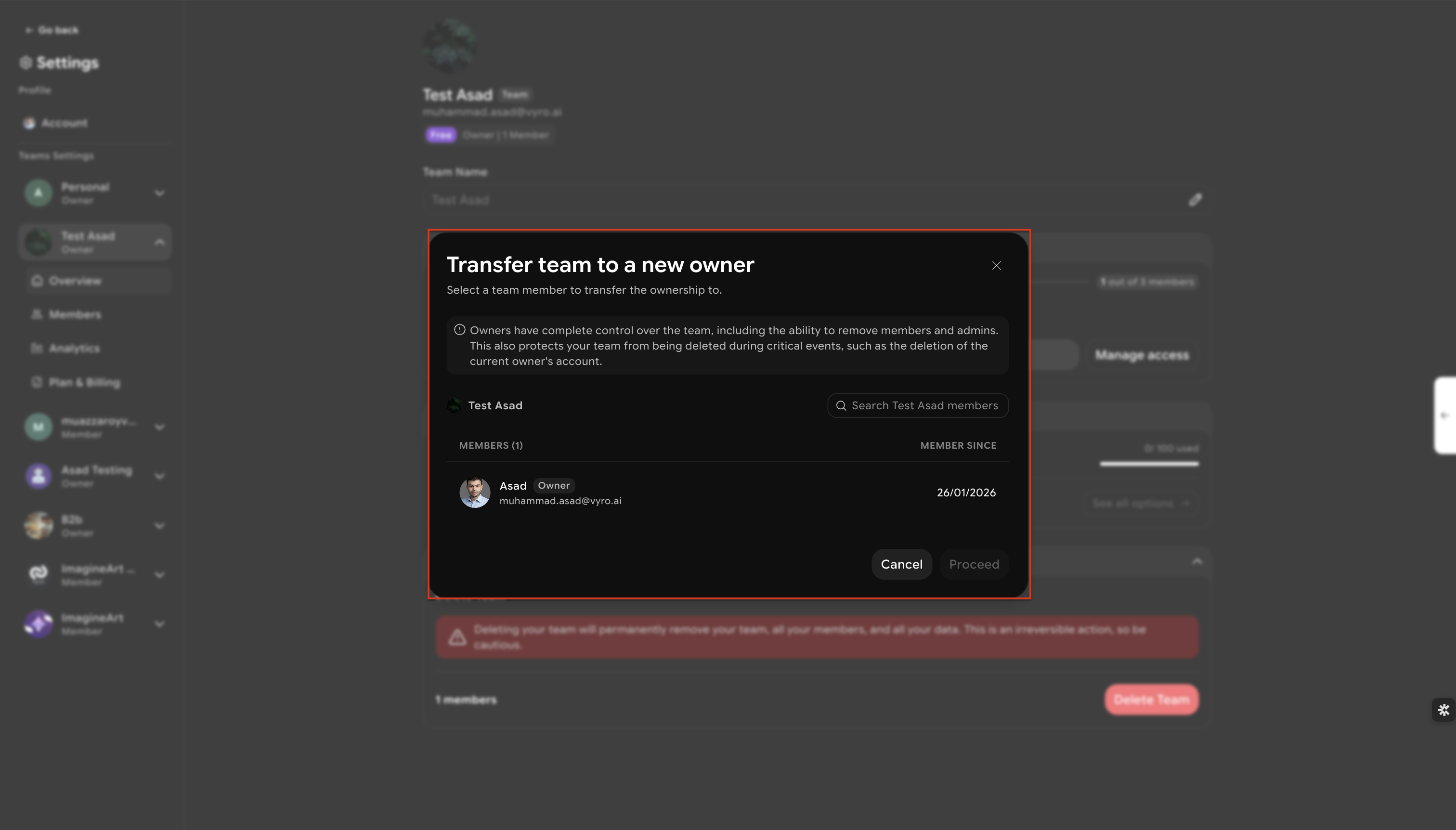
### Transfer ownership if needed
To transfer ownership, select an existing team member and confirm the transfer.
{% endstep %}
{% endstepper %}
### Team deletion rules
* Only the **owner** can delete a team.
* Non-owners will not see the delete option.
* The default personal team cannot be deleted.
* Team deletion has **no cooling-off period**.
* Once deleted, the workspace cannot be restored.
### Privacy and data handling
We handle account deletion in line with our [Privacy Policy](/policies/privacy-policy.md). Personal data is removed as part of the deletion process, subject to legal and security requirements described in our policies.
### Need help?
If you need help with account access or deletion, contact [support@](mailto:support@chatlyai.app)everask.ai.