> For the complete documentation index, see [llms.txt](https://help.everask.ai/llms.txt). Markdown versions of documentation pages are available by appending `.md` to page URLs; this page is available as [Markdown](https://help.everask.ai/products-and-features/ai-docs/what-are-ai-docs.md).
# What are AI Docs?
AI Docs is an AI-powered document workspace that enables content generation, summarization, rewriting, and contextual understanding of documents through natural language instructions.
### Two Editing Modes
AI Docs offers two powerful ways to work, depending on your workflow and design needs:
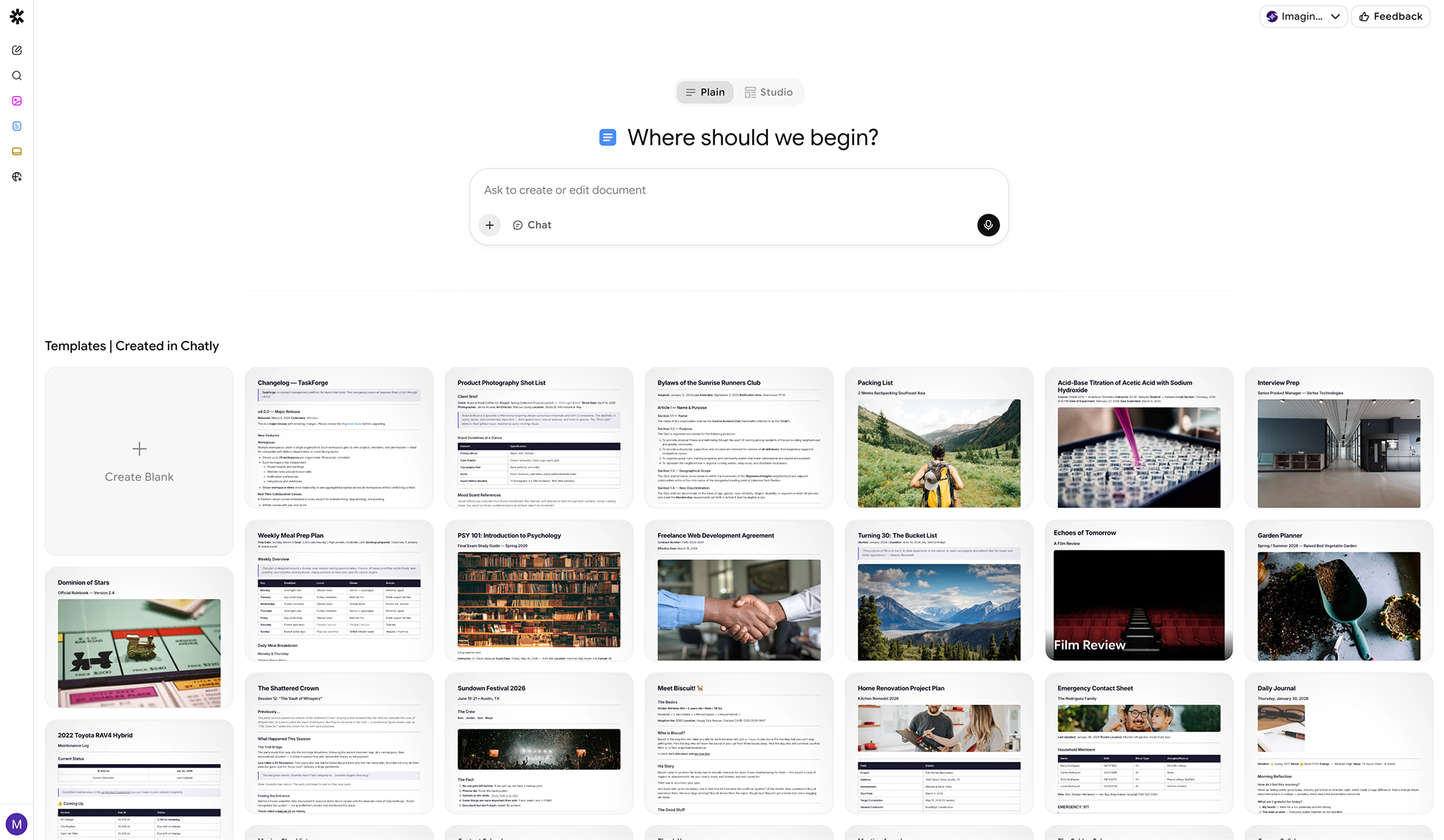
#### Plain Mode
A clean, AI-enabled markdown editor designed for focused writing and structured content creation.
* Minimal, distraction-free interface
* Markdown-based formatting
* Ideal for reports, documentation, research, and structured writing
* AI assistance built directly into your writing flow
* Similar to a Notion-style intelligent editor
Best for clarity, speed, and content-first workflows.
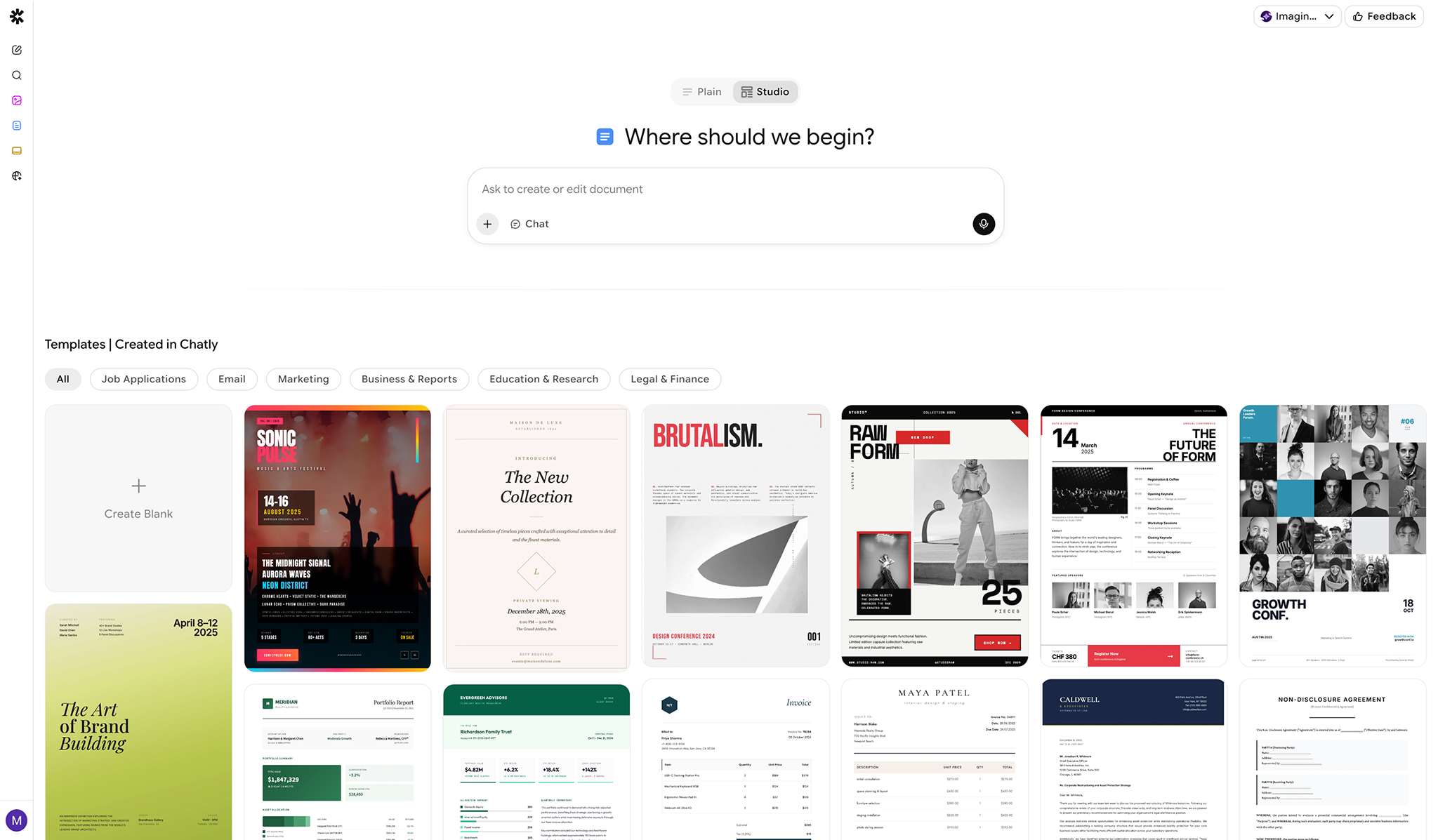
#### Studio Mode
A visual, HTML canvas-based editor for rich layouts and design flexibility.
* Drag-and-drop style editing
* Advanced layout control
* Rich formatting and visual customization
* Ideal for polished documents, branded materials, and presentation-style content
* Mix design, structure, and AI seamlessly
Best for design-heavy, visually structured documents.
#### Getting Started with AI Docs
You can create a document in three ways:
* **Blank document** – Start with an empty canvas and build your content manually or with AI
* **Prompt-based creation** – Describe what you want, and AI generates a structured document
* **Templates** – Choose from pre-built templates for common use cases. You can choose from:
* Job Applications
* Email
* Marketing
* Business & Report
* Education & Research
* Legal & Finance
* Markdown Templates
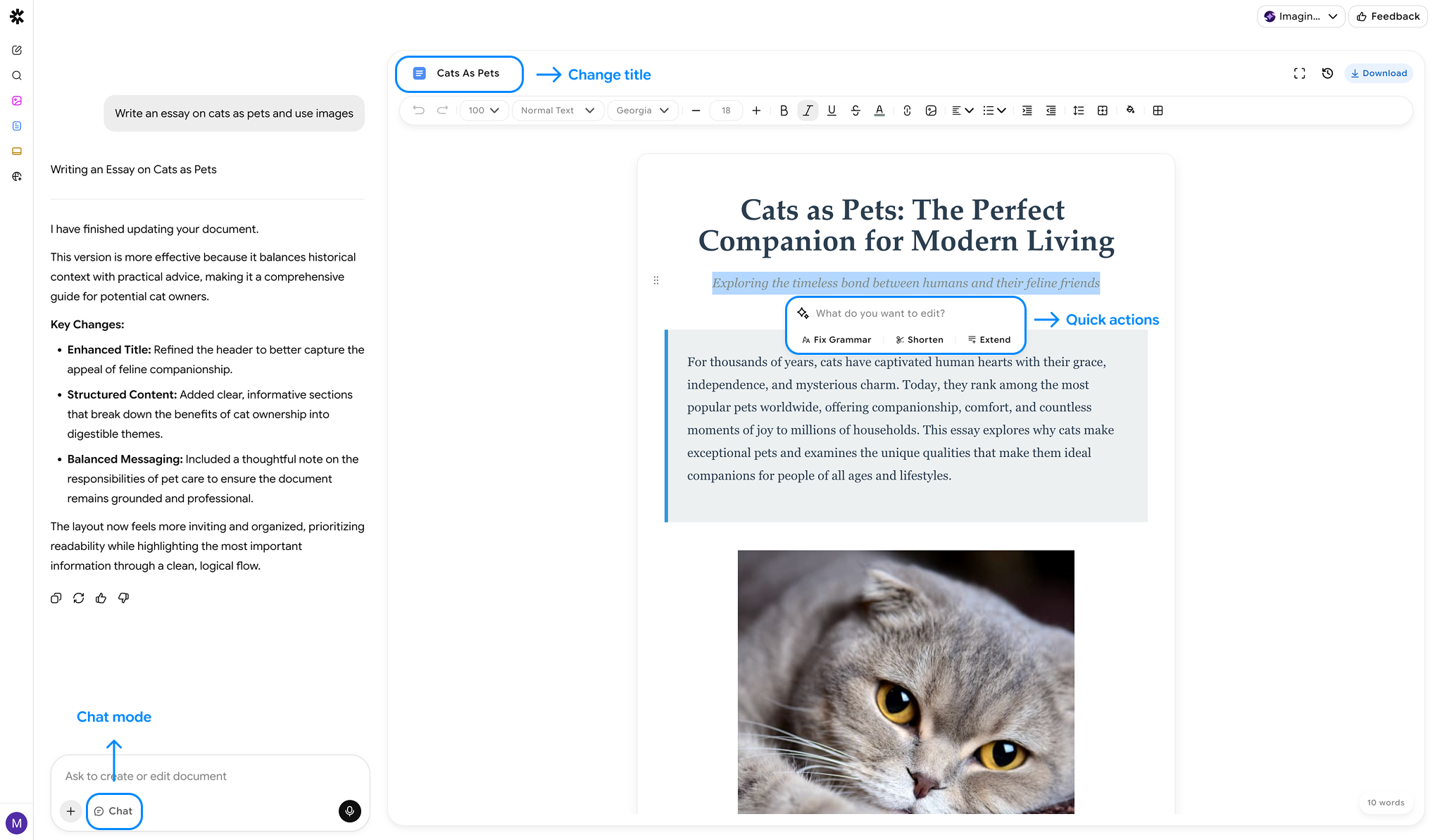
#### Editing & Writing with AI
AI Docs allows you to improve your documents using:
1. **Edit on Canvas** – Edit or refine specific parts of your document through conversation with AI. Just select the part you want to edit
2. **Fix Grammar** – Automatically rewrites and improve selected sections for grammar, punctuation, and general english improvements.
3. **Shorten** – Summarize selected content into concise, easy-to-digest points.
4. **Extend** – Expand selected points with additional detail and explanation.
5. **Chat Mode** – You can use the **Chat Mode** to plan and research your document without the agent hallucinating! Just select the "**Chat**" option from the prompt box and ask whatever you want!
All AI changes can be reviewed and edited manually at any time.
#### Manual Editing & Rich Content
In addition to AI editing, you can:
* Manually edit text and formatting
* Insert images, files, and links
* Mix AI-generated and human-written content seamlessly
* Customize layouts and structure freely
AI Docs works like a full document editor with AI assistance built in.
### Files, Images & Attachments
* **Documents**: `.pdf`, `.docx`, `.pptx`, `.xlsx`, `.txt`, `.csv`, `.json`, `.md`, `.html`, `.epub`
* **Images**: `.jpg`, `.jpeg`, `.png`, `.gif`, `.webp`
* **File size**: up to 25 MB per file.
* **Maximum files per document**: Up to 5 files
* **Maximum file size**: 20 MB per file
### AI Tools Available in Docs
AI Docs supports the following AI-powered actions:
* Search documents
* Understand images
* Analyze External Links Provided
* **Search the internet** to gather and reference information
These tools help enrich your document with context, research, and external data.
### Exporting Documents
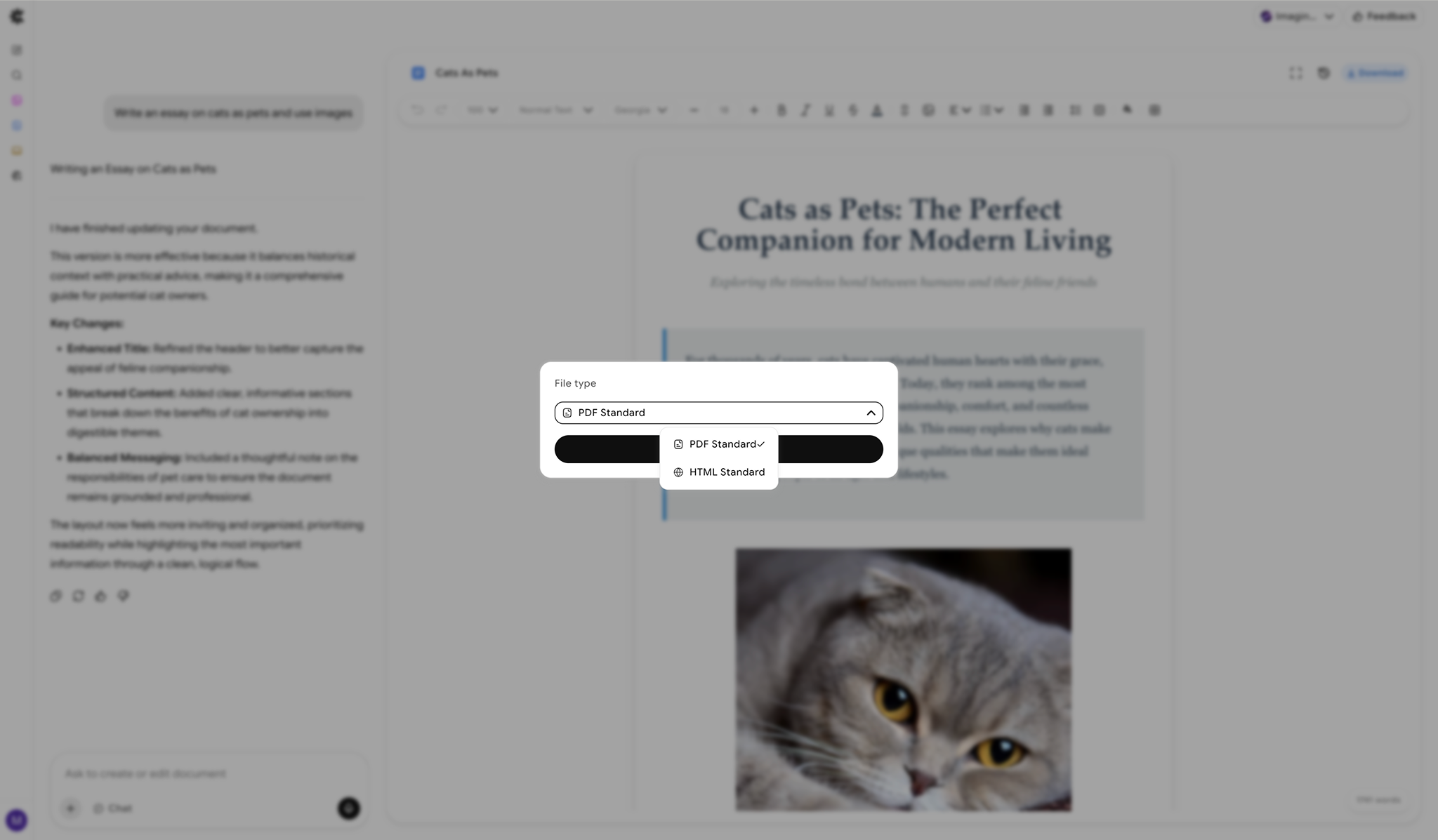
You can manually export your documents in standard formats for PDF and HTML.
#### Supported Export Formats
* PDF
* HTML
* Docx - Plain Docs only
* Markdown - Plain Docs only
Exports preserve structure, formatting, and embedded content.