> For the complete documentation index, see [llms.txt](https://help.everask.ai/llms.txt). Markdown versions of documentation pages are available by appending `.md` to page URLs; this page is available as [Markdown](https://help.everask.ai/products-and-features/ai-slides/what-are-ai-slides.md).
# What are AI Slides?
AI Slides is an AI-powered presentation workspace that enables deck generation, visual storytelling, layout design, and contextual understanding of topics through natural language instructions.
### Getting Started with AI Slides
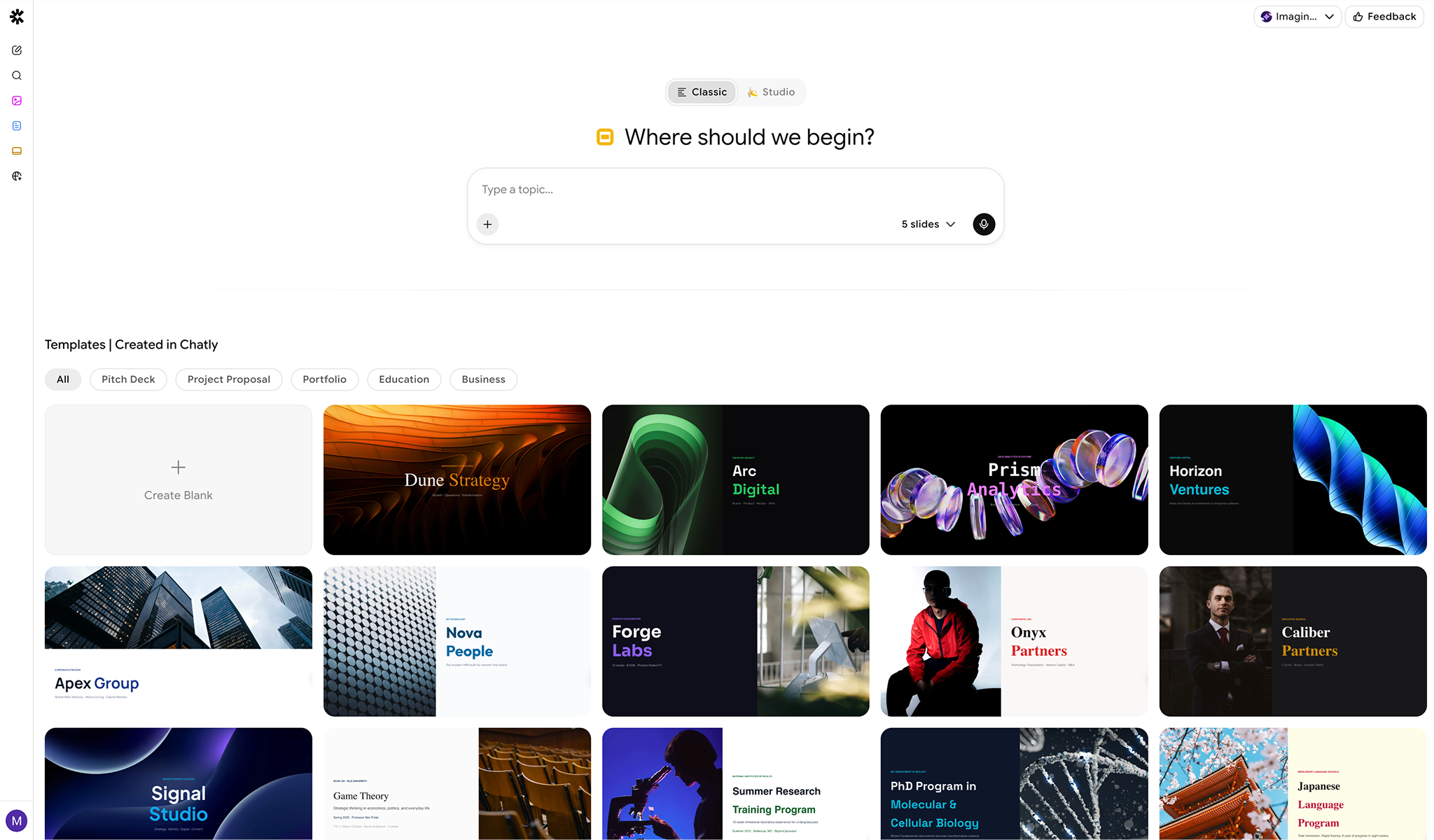
AI Slides offers two distinct generation modes for your presentations:
* **Classic Mode**: Generates classic slides with standard layouts and editable elements.
* **Studio Mode**: Generates Nano Banana slides, where all slides and their content are rendered entirely as high-quality images.
You can create a presentation in two ways:
* **Prompt-based creation** – Describe your topic or paste an outline, and AI generates a fully designed slide deck.
* **Templates** – Choose from pre-built themes for common use cases. You can choose from:
* Pitch Decks
* Project proposal
* Portfolio
* Education
* Business
### Designing and Editing with AI
AI Slides allows you to improve your presentations using:
1. **Edit with Chat** – Create new slides, generate images, or change layouts through conversation with AI.
2. **Auto Design** – Automatically adjust fonts, colors, and alignment to match professional design standards.
3. **Shorten** – Summarize dense paragraphs into concise, easy-to-read bullet points suitable for slides.
4. **Expand** – Elaborate on brief points to fill a slide or generate accompanying speaker notes.
All AI changes can be reviewed and edited manually at any time.
### Manual Editing & Rich Content
In addition to AI editing, you can:
* Manually edit text and formatting
* Insert images and links
* Mix AI-generated and human-written content seamlessly
* Customize layouts and structure freely
AI Slides works like a full presentation editor with AI assistance built in.
### Files, Images & Attachments
You can upload files to generate slides from or to use as reference context.
* **Documents**: `.pdf`, `.docx`, `.pptx`, `.xlsx`, `.txt`, `.csv`, `.json`, `.md`, `.html`, `.epub`
* **Images**: `.jpg`, `.jpeg`, `.png`, `.gif`, `.webp`
* **File size**: up to 25 MB per file.
* **Maximum files per document**: Up to 5 files
* **Maximum file size**: 20 MB per file
### AI Tools Available in Slides
AI Slides supports the following AI-powered actions to help build your deck:
* Search documents
* Understand images
* Analyze External Links Provided
* **Search the internet** to gather and reference information
These tools help enrich your document with context, research, and external data.
### Exporting Documents
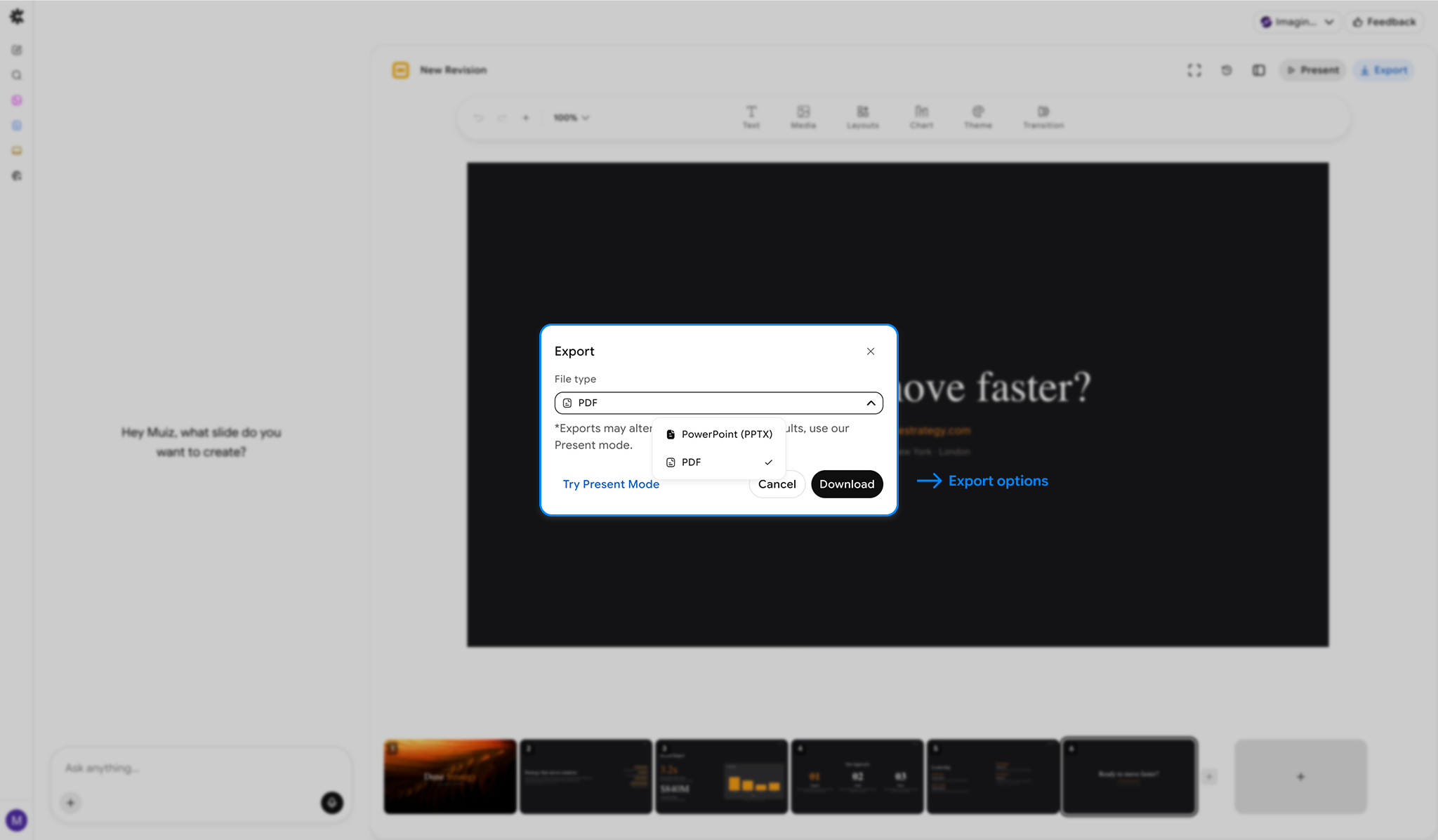
You can manually export your slides in standard formats for sharing and publishing.
#### Supported Export Formats
* PPTX
* PDF
Exports preserve structure, formatting, and embedded content.
### Present Mode
Launch a full-screen presentation instantly within Chatly to share your ideas without downloading files.